


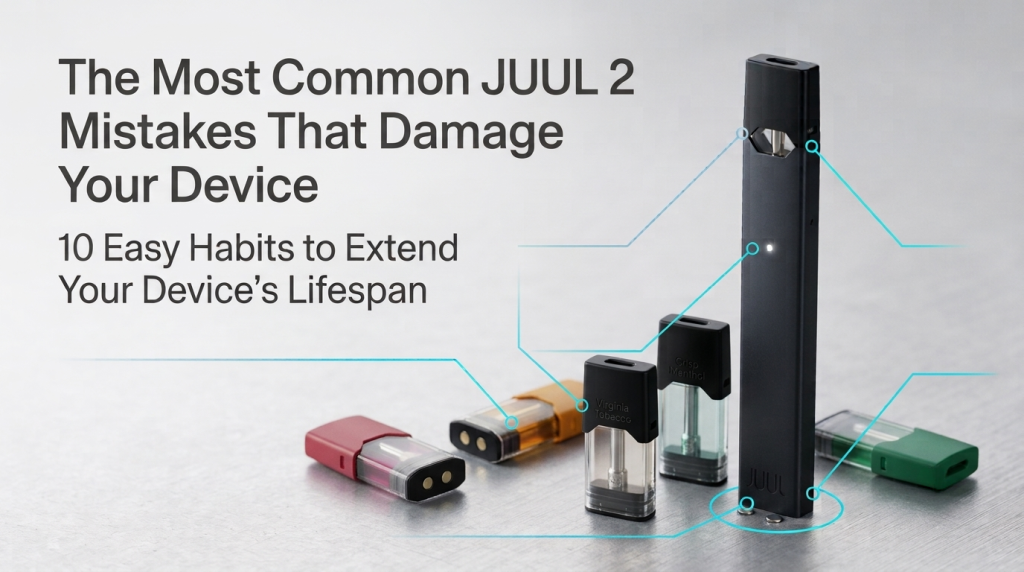
If your JUUL 2 device isn’t lasting as long as it should, the cause is usually one of a handful of repeatable habits rather than bad luck. Most complaints about JUUL 2 battery life, charging problems, or pod recognition come down to the same small mistakes: an overnight charge, a pod pushed in without lining it up first, or a leak nobody bothered to wipe up. There’s a real difference between normal wear (a slight battery drop after months of use) and preventable damage (a device that dies in six weeks because of how it was charged, handled, or cleaned). This guide covers what actually damages a JUUL2, like the Slate Grey, plus a simple maintenance routine that keeps most of these problems from happening in the first place.
The Mistake That Causes the Most JUUL 2 Failures
In our experience looking into JUUL 2 device issues, the most common preventable cause is liquid buildup around the pod contacts. A user assumes the pod itself is defective, even with something as simple as a Virginia Tobacco pod, when the real problem is condensation and residue sitting between the pod and the battery, interrupting the connection. It’s a five-second fix once you know to check for it, which is exactly why it’s worth covering first.
How Long Should a JUUL2 Device Last?
Take care of it, and a JUUL2, like the JUUL Silver Device, will usually get through several months of daily use before you start noticing the battery isn’t what it used to be.
| Factor | What It Affects |
|---|---|
| Charging habits | Battery lifespan |
| Pod contact cleanliness | Pod recognition & performance |
| Storage temperature | Battery health, vapor quality |
Early warning signs: faster battery drain than usual, weaker hits from a pod that used to work fine.
What JUUL Says About Battery and Charging Safety
A few habits in this guide come straight from JUUL’s own device documentation rather than general vaping advice, since the battery and charging mechanics are specific to how a JUUL Device is built.
- Charging temperature: JUUL specifies a charging temperature range of 41°F–113°F (5°C–45°C) for the lithium-ion polymer battery’s safety.
- Charging method: The device charges through an official magnetic charging dock, not a cable that plugs directly into the device body.
- Long-term storage: JUUL’s own guidance says not to store the device with a depleted charge for more than two weeks. If you’re storing it for longer than a month, charge it fully and remove the pod first.
- Signs of battery trouble: a device that won’t hold a charge, feels unusually warm during normal use, or has a housing that looks swollen should be taken out of use. Lithium-ion batteries can be a safety hazard once they’re damaged, not just a performance problem.
The Most Common JUUL2 Mistakes That Damage Your Device
Letting E-liquid Build Up Inside the Device
E-liquid that seeps around the pod slot condenses, and that moisture works its way into the metal contacts where the pod meets the battery. Once residue sits in that gap, the connection becomes inconsistent, and the magnetic charging contacts at the base can act up too.
Using the Wrong Charger
The JUUL2 charges through a magnetic charging dock, not a cable that plugs directly into the device. A high-output fast charger built for phones can push more current through that dock than the small battery expects, creating heat the device can’t dissipate quickly. Repeated heat exposure wears down the battery’s chemistry over time.
Leaving the Device Plugged in Too Long
Charging past full and leaving it connected keeps the battery at high voltage longer than needed, which ages it faster. The better habit: unplug once charged, and top off during the day instead of one long overnight charge.
Inserting Pods Incorrectly
Pods are a push-fit. You line one up, push through a bit of resistance, and it pops into place, and that’s true no matter which JUUL2 Pods flavor you’re using. Force one in without lining it up first, though, and you can bend the small metal contacts inside the slot. Once they’re bent, even a properly inserted pod may not seat right, and you’ll get intermittent hits or random disconnects.
Removing and Reinserting Pods Excessively
Every insertion and removal wears the contacts down a little. If you like variety, pick a couple of favorites, say Ruby Menthol and Blackcurrant Tobacco, and stick with them instead of swapping pods every few puffs. Do it too often and the metal wears faster than it would with steady use, until eventually the device stops recognizing a pod that’s actually seated fine.
Ignoring Small Leaks
A tiny leak rarely stays tiny. A full pod holds more liquid that can seep out once the seal loosens, so it’s worth checking for leaks any time a fuller-bodied pod like Autumn Tobacco feels heavier than usual. Liquid that pools near the pod slot reaches the airflow sensor and internal components, and that’s what causes weak draws or a device that won’t fire at all.
Storing JUUL2 in Extreme Heat or Cold
Leaving the device in a hot car or a cold pocket strains the battery. Heat speeds up chemical breakdown inside the cell, and cold temporarily cuts power delivery. Sticking to normal room conditions for storage, and charging only within JUUL’s specified 41°F–113°F range, keeps both battery and pod stable. And keep it away from credit cards or key cards while you’re at it, since the magnets in its base can wipe magnetic strips.
Using Counterfeit or Damaged Pods
Pods that don’t match JUUL2 specs sometimes have misaligned contacts or liquid formulas that behave differently under heat, either of which can damage the connection points. Checking the packaging and batch code against JUUL’s official site confirms authenticity before use, or buy from a trusted retailer like Pods Hub that stocks genuine JUUL2 pods directly.
“The main practical risk isn’t the brand, it’s buying from an unlicensed seller whose stock may not be genuine or ESMA-certified.”That’s especially worth keeping in mind if you’re buying in the UAE. Our guide on JUUL in Dubai covers legality, ESMA approval, and how to spot a licensed retailer in more detail.
Cleaning the Device Incorrectly
Wiping the pod slot with a wet cloth, or running it under water, pushes moisture straight into the electrical contacts. The safe method: a dry cotton swab, or one lightly dampened with isopropyl alcohol, run gently along the slot’s edges. Never submerge the device or use anything sharp to scrape residue.
Continuing to Use a Damaged Device
A loose pod, charging that starts and stops without any pattern, a cracked housing, or any burnt smell all mean the same thing: stop using it. Push through and a fixable problem turns into one you can’t fix at all.
Quick fixes for the top three:
- E-liquid buildup: Wipe the pod slot daily with a dry or lightly damp cotton swab.
- Wrong charger: Stick to the official magnetic charging dock only.
- Overcharging: Unplug once full instead of leaving it connected for hours.
Safe cleaning method: Dry cotton swab, or one lightly dampened with isopropyl alcohol, along the slot’s edges.
Never use: Water, wet cloths, or anything sharp to scrape residue.
The One-Minute JUUL 2 Maintenance Routine
| Frequency | Task |
|---|---|
| Daily | Wipe the pod slot with a dry cloth or swab before inserting a fresh pod |
| Weekly | Wipe the magnetic charging contacts on the device base to clear residue or buildup |
| Monthly | Inspect contacts for discoloration, check housing for cracks, time a full charge |
How to Prevent Most JUUL2 Problems
These four habits cover most of what a JUUL 2 needs to stay reliable:
- Charging: Official magnetic charging dock only, unplug once full.
- Pod handling: Line pods up before pushing them in, avoid unnecessary swapping, and stick to a flavor you enjoy long-term, like Polar Menthol.
- Cleaning: Dry swab on a regular schedule.
- Storage: Normal room conditions, away from hot cars and cold pockets.
Warning Signs Your JUUL2 May Already Be Damaged
| Sign | What It Usually Means |
|---|---|
| Won’t charge | Battery issue or dirty magnetic charging contacts |
| Pod not detected | Dirty or bent contacts |
| Weak vapor | Airflow sensor or pod problem |
| Flickering LED | Loose connection or battery fault |
| Intermittent performance | Worn contacts or pod misalignment |
When Maintenance Is Enough and When You Need a Replacement
| Fixable With Maintenance | Usually Permanent |
|---|---|
| Dirty pod contacts | Cracked housing |
| Slow pod recognition | Battery won’t hold charge at all |
| Minor buildup or residue | Burnt smell from inside the device |
Can leaking pods permanently damage a JUUL2 device?
Yes, if the leak reaches the airflow sensor or internal contacts and isn’t cleaned promptly.
How often should I clean my JUUL 2?
Daily wipe, plus a weekly check of the magnetic charging contacts.
Is it safe to use a phone fast charger with JUUL 2?
Stick to the official charging dock. A high-output fast charger can push more current through it than the battery is built for, generating excess heat.
Why does my JUUL 2 stop recognizing pods?
Usually residue or bent contacts, sometimes a damaged or counterfeit pod.
Does leaving JUUL2 in a hot car damage the battery?
Yes. High heat speeds up battery degradation and can affect pod performance.
Final Thoughts
Small habits decide how long a JUUL 2 lasts. The right charger, some care with pods, a quick wipe now and then, and somewhere sensible to keep it. None of that takes more than a few seconds, and it beats paying for a replacement.