


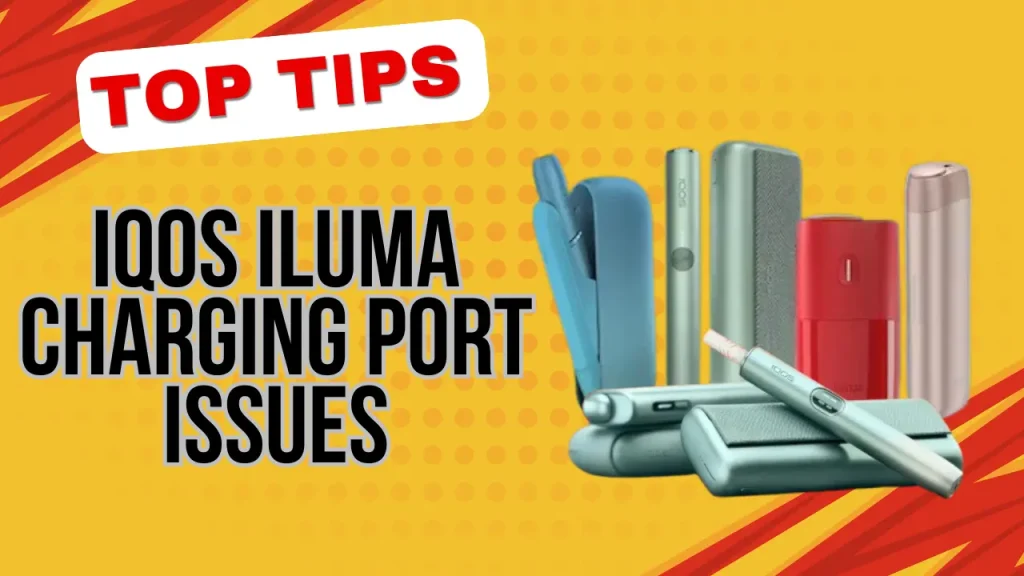
A charging port clogged with fine dust or beach sand is the most common reason an IQOS ILUMA or ILUMA i stops charging properly in Dubai, Abu Dhabi, Sharjah, or Ajman, not a faulty cable or a dying battery. UAE heat, coastal humidity, and seasonal sandstorms each affect the port differently, and the correct fix depends on which one is responsible. Separating the causes of IQOS ILUMA charging port issues below shows exactly which fix to try first.
For charging times, Pause Mode, cleaning and reset steps for every model, see our IQOS ILUMA care and charging guide.
UAE Heat, Sand and Coastal Humidity Are the Top Three Charging Port Triggers
Each environmental factor produces a slightly different symptom, so matching the symptom to the cause saves time before trying random fixes.
| Environmental Cause | Typical Charging Port Symptom | UAE-Specific Fix |
|---|---|---|
| Fine dust from pockets, bags or car interiors | Slow charging, intermittent connection | Gentle dry brush clean, no metal tools |
| Sand from beach trips or desert outings | Cable will not seat fully, charger not recognized | Brush the port, then wipe the cable head with a dry cloth |
| High heat from parked cars or direct sun | Overheating during charging, charging pauses | Let the device return to room temperature before reconnecting |
| Coastal humidity in areas near the Abu Dhabi corniche or the Sharjah waterfront | Flickering LED, unstable contact | Dry with a soft cloth and avoid charging while the device feels damp |
Which Warning Sign Points to Which Cause?
Slow charging usually means dust sitting inside the port; a charger the device does not recognize often means sand blocking the connector pins; overheating during charging points to heat exposure; and flickering LEDs during a charge cycle usually signal moisture rather than a battery fault.
- Slow charging: the device takes noticeably longer to reach full power even with the original cable.
- Charger not recognized: the cable is plugged in but the light does not respond at all.
- Overheating during charging: the device gets warm faster than usual within the first few minutes.
- Flickering LEDs: the light turns on and off repeatedly instead of holding steady.
The Charging Port Reacts to Even a Thin Layer of Dust
The port relies on small connectors making direct contact with the cable head. Anything sitting between those connectors, even a layer too thin to see, reduces the amount of power reaching the battery.
This can make the device behave as if the cable itself is faulty when the real problem is sitting inside the port.
A 55 to 70 Degree Car Interior Is the Fastest Way to Trigger a Thermal Lock
A parked car in UAE summer can reach an interior temperature of 55 to 70 degrees Celsius within a short time. At that temperature, the battery’s internal protection circuit pauses charging entirely rather than risk damage, which explains why a device that charged fine at home suddenly refuses to respond after sitting in a hot vehicle.
The March to May Sandstorm Window Needs Extra Port Checks
Sandstorm season, typically running from March through May, pushes far more airborne dust into pockets, bags and car interiors than the rest of the year. Checking and brushing the port weekly during these months catches a buildup before it turns into a full charging failure.
Clean the Port in Four Careful Steps
- Let the device reach room temperature first if it has been in heat or direct sun.
- Brush the port gently with a small, dry, soft-bristle brush, moving in one direction rather than scrubbing.
- Wipe the metal contacts on the cable head with a completely dry, lint-free cloth.
- Reconnect using the original cable and adapter, then check for a steady charging light before leaving it unattended.
Device Care and Maintenance Guide for IQOS ILUMA Users in UAE covers the rest of the routine beyond the port itself.
Skip These Habits or You Will Damage the Connectors
- Never insert metal pins, needles, or paperclips to scrape the port, since they can bend the connectors permanently.
- Avoid using a wet cloth on the port, as trapped moisture causes more contact problems than the dust it removes.
- Do not plug the device in right after it has been sitting in a hot car or in direct sun, since charging a hot battery adds unnecessary stress.
- Stick to the original cable and adapter, since a mismatched connector shape can cause poor contact and charging interruptions over time.
Does IQOS ILUMA Even Need Charging Port Cleaning?
IQOS ILUMA does not need the blade or chamber cleaning older IQOS models required because its Smartcore Induction heating sits inside the TEREA stick rather than inside the device itself.
The charging port is a separate, external component, and it still needs occasional brushing since it is exposed to daily dust regardless of how the heating technology works.
Readers who want the full mechanics behind this design can look at How Smartcore Technology Works With Terea Sticks in IQOS ILUMA
Every Iluma Generation Shares the Same Exposed Port Design
The charging port sits externally on every current generation, whether someone owns an IQOS Iluma I Standard Black, or Blue an IQOS Iluma I One Black, or an IQOS ILUMA I Prime Garnet Red. Because the design is external rather than sealed, dust and sand collect at a similar rate regardless of which finish or generation is on the desk, and anyone weighing generations first can compare the standard and i lines in IQOS ILUMA Standard vs Iluma I Standard: Which One Should You Buy in UAE.
For symptoms that point more toward battery wear than port debris, Battery Charging Issues With IQOS Iluma I Devices and How to Avoid Them covers charging cycles in more depth. Pairing any device with a protective case from the Accessories category is one of the simplest ways to cut down how much dust reaches the port between charges.
Keep the Port Clear and Charging Stays Reliable
A charging port issue in the UAE almost always traces back to dust, sand, heat or humidity rather than a defective device. Brush the port weekly during the March to May sandstorm window, let the device cool before charging after a hot car ride, and stick to the original cable and adapter.
If flickering LEDs or a completely unresponsive port continue after these steps, treat it as a hardware fault rather than an environmental one and arrange a check instead of repeating the same cleaning cycle.
Start with the four-step port clean above before assuming the battery itself has failed.
This product contains nicotine. Nicotine is an addictive substance and this guide is intended only for existing adult users of nicotine or tobacco products.
Frequently Asked Questions
Can hot weather in the UAE actually damage an IQOS ILUMA device?
Yes. Leaving an IQOS ILUMA in a parked car during UAE summer exposes it to interior temperatures of 55 to 70 degrees Celsius, which can trigger the battery’s protection circuit to pause charging and adds ongoing stress to the cell if it happens repeatedly.
How can I tell if my charger is faulty rather than my IQOS ILUMA port being dirty?
Try the original cable with a different wall adapter or USB source first. If the device still shows no charging light after gently brushing the port clean, the cable or adapter is more likely at fault than the port itself.
Is it safe to use a non-original charger with an IQOS ILUMA in the UAE?
A cable or adapter that does not match the original connector shape can cause poor contact and charging interruptions, so sticking to the original cable and adapter is the safer choice for keeping the port working reliably.
How long should I wait before charging an IQOS ILUMA that has been sitting in a hot car?
Let the device sit somewhere shaded until it feels close to room temperature before plugging it in. Charging while it is still hot from a parked car adds unnecessary strain to the battery on top of the heat it already absorbed.